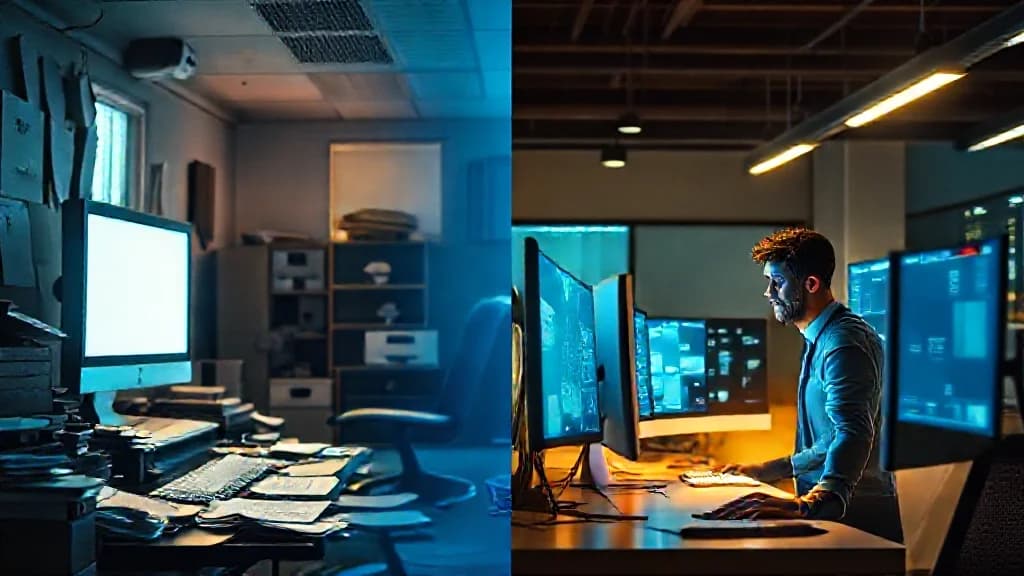
Your Legacy Software Is Bleeding Money
That old desktop software your team relies on has hidden costs mounting every month. Here's how to recognize when familiarity has become an expensive liability.
The Quiet Crisis on Your Desktop
The accounting manager noticed something was wrong when the monthly reconciliation took three days instead of the usual one. The inventory system had been glitching for weeks: random crashes, data that wouldn't save, error messages nobody could decipher. She'd called the vendor twice, only to be told that support for that version had ended fourteen months ago. They could upgrade her to the current release, but it would require new licenses, new hardware, and a migration project quoted at sixty thousand dollars.
The owner listened to this and said what business owners often say: "It still works. Let's just deal with it when we have to."
Eighteen months later, that company spent two hundred thousand dollars recovering from a ransomware attack that entered through an unpatched vulnerability in that same legacy system. They lost eleven days of operations. Three key customers left for competitors who could process orders during the outage. The software that was "working fine" had become a loaded weapon pointed at everything they'd built.
This is not a cautionary tale about one unlucky business. This is the predictable outcome of a decision pattern we see constantly at Kreative Tek Solutions, companies holding onto legacy desktop software because the pain of replacing it feels greater than the pain of keeping it. That equation is almost always wrong.

Why This Is More Widespread Than You Think
The instinct to preserve legacy systems is completely rational on the surface. Your team knows the software. The workflows are established. The quirks are understood and worked around. Replacing it sounds expensive, disruptive, and risky. So you keep it.
But this instinct has created a massive hidden problem across industries. Research from industry analysts suggests that approximately 70% of business applications running today contain components that are no longer supported by their original vendors. These aren't obscure tools, they're the operational backbone of mid-market companies in manufacturing, distribution, professional services, and healthcare.
Companies spend an average of 60-80% of their IT budgets simply maintaining existing systems, leaving minimal room for innovation or competitive advantage.
At Kreative Tek Solutions, we've walked into businesses where the core operational software hasn't been updated in seven years. Sometimes ten. In one memorable case, a distribution company was running their entire order management system on software released in 2004, installed on hardware that the vendor no longer manufactured spare parts for. When that server failed, their entire operation would have stopped cold.
This isn't negligence. It's the natural result of a decision-making framework that treats software replacement as a "later" problem rather than a "now" risk. The problem is that "later" has a way of arriving all at once.
The Real Cost of Getting This Wrong
The most dangerous misconception about legacy software is that its cost is limited to what you pay to maintain it. That's barely the beginning. The real costs compound silently until they become existential.
Security exposure tops the list. When a desktop application reaches end-of-life, it stops receiving security patches. Every vulnerability discovered after that date becomes a permanent open door into your business. Criminal organizations actively scan for these exposures. They know which software versions have unpatched vulnerabilities, and they have automated tools to find businesses still running them. Your legacy system isn't invisible: it's a target.
Remote work incompatibility has become a competitive liability. Desktop software designed before 2020 assumes your employees are physically present in your office. If your operations require someone to drive in to access critical systems, you're at a disadvantage against competitors whose teams can work from anywhere. You're also limiting your talent pool to people willing to commute: a constraint that gets more expensive every year.
Integration gaps create operational drag. Modern business runs on connected systems. Your CRM should talk to your inventory system. Your inventory system should talk to your accounting platform. Your accounting platform should feed your business intelligence tools. Legacy desktop software typically operates in isolation, forcing manual data transfer, creating reconciliation errors, and consuming hours of skilled labor on tasks that should be automated.
Vendor lock-in compounds over time. The longer you stay on a legacy platform, the more expensive migration becomes. Your data accumulates in proprietary formats. Your team's expertise becomes specialized to that system. Your workflows bend around its limitations. Every year, the vendor knows you're more trapped, and their pricing reflects it.
| Scenario | Short-Term Impact | Long-Term Impact |
|---|---|---|
| Security breach via unpatched legacy software | $50,000-200,000 incident response cost, 1-3 weeks downtime | Customer attrition, regulatory fines, increased insurance premiums |
| Cannot hire remote talent due to desktop-only systems | Limited candidate pool, higher salary demands | Talent quality decline, slower innovation, competitive disadvantage |
| Manual data transfer between disconnected systems | 10-20 hours/week of skilled labor wasted | Error-prone reporting, delayed decisions, employee burnout |
| Vendor sunsets product with 6-month notice | Emergency migration project, $30,000-100,000 cost | Rushed implementation, lost data, workflow disruption |
| Legacy server hardware failure | Days of downtime waiting for rare replacement parts | Permanent data loss risk, cascading operational failures |
| Compliance audit reveals unsupported software | Remediation costs, potential fines | Required upgrade under audit scrutiny, higher total cost |

The businesses that calculate these costs honestly almost always find that keeping legacy software is far more expensive than replacing it: they just haven't been counting all the line items.
What Good Actually Looks Like
When a business finally modernizes their desktop software, the difference is palpable. Not in abstract technology terms, but in how the business actually operates day to day.
A modern desktop or cloud application does three things that legacy systems fundamentally cannot: it adapts, it connects, and it protects.
Adaptation means the software evolves with your business. When you open a new location, add a product line, or change a workflow, the system accommodates it without requiring a from-scratch rebuild. Modern architectures, whether cloud-native or properly designed desktop applications, are built for change. Your partner can extend functionality, integrate new tools, and adjust workflows without tearing down what already works.
Connection means your systems talk to each other automatically. Inventory updates flow to accounting without manual entry. Sales data populates your CRM in real time. Dashboards show current metrics without someone compiling spreadsheets. The hours previously spent on data transfer get redirected to actually using that information to make better decisions.
Protection means security is architected in, not bolted on. Modern applications receive regular security updates automatically. Access controls are granular and auditable. Data is encrypted both in transit and at rest. When regulations change, compliant software adapts; when threats evolve, protection keeps pace.
| Built by Expert Partner | Built by Lowest Bidder / Legacy Carryover |
|---|---|
| Security patches deployed automatically, often within hours of discovery | Vulnerabilities remain unpatched for months or permanently |
| Architecture designed for integration with modern APIs and platforms | Isolated data silos requiring manual export/import |
| Scalable infrastructure that grows with your business | Hardware-dependent scaling requiring capital investment |
| Regular updates included in partnership agreement | Each upgrade a separate negotiation with uncertain pricing |
| Support team that knows your implementation | Generic call center with no context on your environment |
| Documented system architecture for future flexibility | Undocumented customizations that create dependency |
The businesses that experience this transformation don't talk about their new software in technical terms. They talk about time reclaimed, risks eliminated, and capabilities unlocked. They wonder why they waited so long.
The Partner Question: What Most Businesses Get Wrong When Hiring
If you've decided that legacy replacement is necessary, the next decision is who will do the work. This is where most businesses make a second mistake that compounds the first.
The instinct is to treat software replacement as a procurement transaction, find a vendor with the right features at the right price, sign a contract, receive software. This works for commodity tools. It fails catastrophically for core operational systems because it ignores the most important factor: the relationship between your business and the people building your software.
A serious development firm will always begin with discovery. They'll want to understand not just what your current software does, but why it does it that way. They'll map your actual workflows, not the workflows your software documentation claims to support. They'll identify the edge cases, the workarounds, and the tribal knowledge that lives in your team's heads. This isn't scope creep: it's the foundation of a system that will actually work.
A serious development firm will talk about post-launch support before the contract is signed. They'll explain how they handle bugs, how they manage updates, what happens when you need changes six months or two years from now. If they can't answer these questions clearly, they're not a partner: they're a vendor who will disappear when the invoice is paid.
A serious development firm will push back on your requirements when necessary. If you ask them to replicate your legacy system's limitations in new technology, they'll tell you that's a bad idea and explain why. They'll suggest alternatives you haven't considered. They'll challenge assumptions. This friction is valuable, it's how you get a system better than what you had, not just newer.
At Kreative Tek Solutions, we've inherited projects from other firms that skipped these steps. The patterns are consistent: undocumented customizations, data structures that don't match the business reality, security decisions that made sense for a prototype but not for production. Fixing these problems costs more than building correctly from the start.
The right partner isn't always the cheapest. But the wrong partner, whether they're overpriced or underqualified, is always more expensive in the end.

Critical Risks & What Your Current Vendor May Not Be Telling You
The vendor supporting your legacy desktop software has a strong incentive to keep you on that platform. Migration means losing a customer. Even honest vendors may not volunteer information that makes their product look risky. Here are the questions they may not be answering proactively:
When does extended support actually end? Many vendors offer paid extended support for legacy products, but these programs have hard deadlines. If you're five years into a seven-year extended support window, you need to know that now, not when the vendor sends a notice giving you ninety days to migrate.
What known vulnerabilities exist in this version? Security researchers publish vulnerability databases that are publicly searchable. Your vendor knows whether your version has unpatched issues. They may not be required to disclose them, but you're allowed to ask.
Is our data in a proprietary format? Some legacy systems store data in structures that only that software can read. If the vendor goes out of business or discontinues the product, extracting your own data becomes expensive or impossible. You should know this risk level before you're forced to confront it.
What happens to our license if the company is acquired? Consolidation in the software industry is constant. Your vendor may not plan to sell, but that decision isn't always theirs. If they're acquired by a company that wants to migrate all customers to a different platform, what are your rights?
Are there compliance implications we should know about? Regulations around data protection, financial reporting, and industry-specific requirements evolve constantly. Your legacy software may have been compliant when implemented but fall short of current standards. Your vendor may not proactively tell you this.
These aren't hostile questions: they're responsible due diligence. If your vendor can't or won't answer them, that silence tells you something important about your risk exposure.
Questions to Ask Before You Sign Anything
Whether you're evaluating a cloud migration, a modern desktop application, or a hybrid approach, these questions will reveal whether you're dealing with a partner who will serve your business long-term:
-
What does your discovery process look like, and how long does it typically take? If they skip discovery or promise to understand your business in a single meeting, they're not prepared to build what you actually need.
-
Can you provide references from clients who migrated from systems similar to mine? General references are less valuable than references with comparable starting points and requirements.
-
What's included in post-launch support, and what's billed separately? You need to understand the full cost of ownership, not just the implementation price.
-
How do you handle data migration, and what's our exposure if something goes wrong? Data migration is the highest-risk phase of any legacy replacement. Their answer should demonstrate experience and contingency planning.
-
What's your approach to training our team during transition? A technically perfect system fails if your team can't use it. Training should be built into the project, not treated as an afterthought.
-
If we need significant changes two years from now, who does that work? You want to know whether you're building an ongoing relationship or a one-time transaction.
-
What security certifications or audits do you maintain? For any system handling sensitive data, this should be a straightforward answer with documentation.

A Real-World Outcome
A regional equipment distributor had been running their inventory and order management on desktop software installed in 2008. The system worked, mostly. But it couldn't integrate with their e-commerce platform, requiring staff to manually enter online orders. It couldn't be accessed remotely, so the sales team carried printed price sheets and called the office to check inventory. And it ran on a server that the manufacturer no longer supported.
They'd looked at replacement options several times. Each time, the quoted migration cost made them pause. "We'll do it next year," the owner said. "When we have more budget."
Then a competitor launched a fully integrated online portal with real-time inventory visibility. Within six months, that competitor had captured significant market share, not because their products were better, but because their customer experience was seamless. The distributor watched their order volume decline while their operational costs stayed flat.
They finally engaged Kreative Tek Solutions to build a modern system. The project took five months. The cost was substantial but manageable when spread across the improved efficiency. Within a year of launch, their online order volume had tripled, their order processing time had dropped by 60%, and their error rate had fallen to nearly zero. The sales team could access inventory data from customer sites. The accounting team stopped spending fifteen hours a week on manual reconciliation.
The owner's observation after the first year: "We spent five years avoiding a six-figure investment and lost probably twice that in missed revenue and wasted labor. I wish we'd done this in 2019."
Closing: Key Takeaways + Next Step
TL;DR:
- Legacy desktop software carries hidden costs that compound annually, security exposure, integration gaps, and operational inefficiency aren't visible on a balance sheet until they become crises
- The "it still works" argument ignores the opportunity cost of what your business cannot do with outdated systems
- Remote work capability is no longer optional, desktop-only software limits your talent pool and your competitiveness
- Vendor lock-in gets more expensive every year; the cheapest time to migrate is always now
- The right development partner begins with discovery, includes support planning, and challenges your assumptions when necessary
- Security vulnerabilities in unsupported software are actively exploited; your legacy system is a target whether you recognize it or not
- Modern systems adapt, connect, and protect in ways that legacy architecture fundamentally cannot
You've read the risks. You know what good looks like. You understand that the cost of inaction isn't zero: it's just hidden until it isn't.
If you're running legacy desktop software and wondering whether now is the time to modernize, let's have a conversation. No pressure, no hype, just a clear-eyed assessment of where you are, what it's costing you, and what your options look like. At Kreative Tek Solutions, we've guided dozens of businesses through this transition. We can help you understand whether your situation is urgent or stable, what a modernization path would actually involve, and what kind of investment makes sense for your scale.
The consultation costs nothing. The insight might change how you think about your entire operation.
Related Articles

The Feedback Mistake That Makes 14% of Employees Quit
Adobe research reveals the specific feedback error driving 14% attrition, and why managers over 45 are most prone to it. Here's what your business needs to do differently.

Your Windows PCs Could Fail to Boot in June - Secure Boot Certificates Are Expiring
Microsoft's 2011-era Secure Boot certificates begin expiring in June 2026. Any PC manufactured before 2024 without updated firmware may face degraded boot security or outright boot failures.
Discuss this with the team that builds it
Stay Updated with Our Newsletter
Get the latest insights on software development, business strategies, and tech trends delivered to your inbox.